



Passenger Princess AI Video Generator

Make a Passenger Princess AI video from your photos. The princess sips a drink, gets a neck pillow and goes off duty while the driver drives.

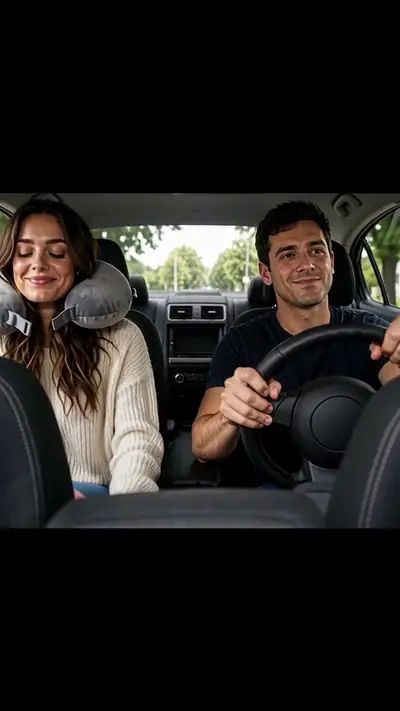
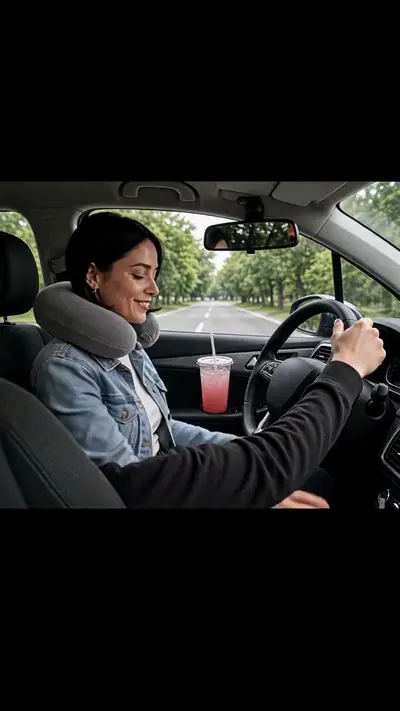
Passenger Princess AI example: a woman sips an iced coffee, hands it to the man driving and leans back in sunglasses
Passenger Princess AI

10 s · 9:16 · 2 photos

30 credits
2

Add your photo

Photo 1: the princess (passenger)

Good
photo
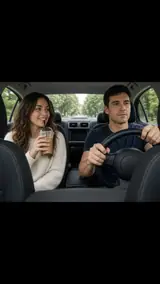
The photo used for this example: a woman with an iced coffee in the passenger seat beside a man at the wheel

Photo 2: the driver

Variant

or $2.49 with a 12-video pack →

Pay only when you press Make · Stripe or PayPal · Failed video = credits back

By uploading a photo you confirm you're 18+ and own it. · Rules

Passenger Princess AI example: a woman sips an iced coffee, hands it to the man driving and leans back in sunglasses
▶ Real result10 s · 9:16

Passenger Princess AI

2 photos → 10 s 9:16 HD video, ready in about 3–6 min

30 credits

The short answer

Effect Farm makes Passenger Princess AI from 2 photos. Make a Passenger Princess AI video from your photos. The princess sips a drink, gets a neck pillow and goes off duty while the driver drives. You get 10 s at 720p, 9:16, MP4. Model-generated sound. One video costs $9.99. Watch the samples and see your price before you pay. No sign-up needed: pay as a guest with card or PayPal. Usually ready in 3–6 minutes. A failed video returns its credits.

Passenger Princess AI video examples

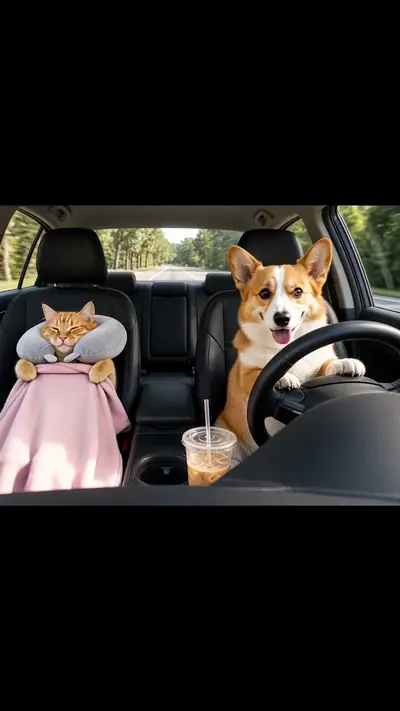
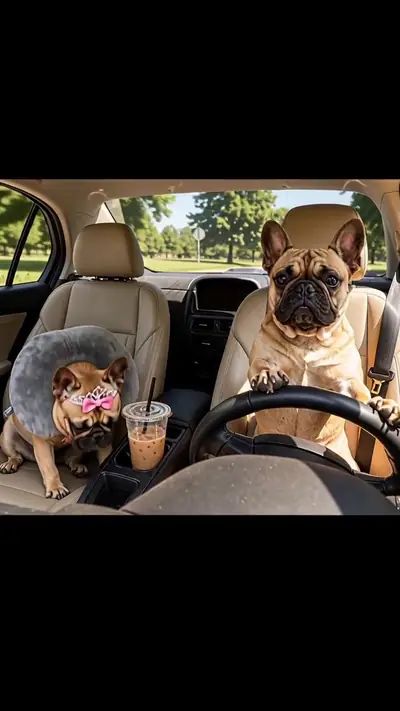
Each example shows the opening frame of the car scene next to its finished clip. In Couple, a woman sips an iced coffee and hands it to the man driving, who holds the cup while she adds a neck pillow, a pink blanket and sunglasses. In Just Me, the hand of the person driving stays on the wheel for the whole clip. An orange cat laps at the drink beside a corgi. A French bulldog keeps her pink tiara on while her twin drives.

Generated

Simple, honest pricing

Every video is paid. One video = 30 credits on every effect. Packs make each video cheaper.

Full pricing & refunds →

Single video

$9.99
30 credits · $9.99/video
  • Any effect
  • HD 720p MP4
Make 1 video

Starter

$14.90
100 credits · $4.47/video
  • 3 videos + 10 spare credits
  • Credits never expire
Get 100 credits

Creator

$29.90
360 credits · $2.49/video
  • 12 videos
  • Credits never expire
Get 360 credits

Studio

$79.90
1260 credits · $1.90/video
  • 42 videos
  • Credits never expire
Get 1260 credits

$199.00
4200 credits · $1.42/video
  • 140 videos
  • Credits never expire
Get 4200 credits
Watch the samples, see your price, then pay. No subscription. Pricing from $1.42 per video. A failed or blocked video returns its credits automatically. Unused credits can be refunded within 14 days.

Who runs Effect Farm

  • Run by Effect Farm Team, an independent online service.
  • Support: support@effectfarm.com or live chat. We reply within 2 business days.
  • Payments by Stripe and PayPal. You can pay as a guest.
  • Every paid video: 1 remake within 7 days, any reason. Refund policy

Updated

More about Passenger Princess

What is the Passenger Princess trend?

The trend started on 27 October 2026 with an AI capybara couple clip captioned "POV: Your passenger princess is off duty". Our version recreates the car scene with your own faces or pets. Effect Farm is independent and not affiliated with the original creator.

A passenger princess is someone who always rides in the passenger seat while their partner drives. The off-duty version shows the passenger getting comfy with a drink, a neck pillow and sunglasses, and viewers tag their own driver in the comments. Your video keeps that order: sip, look, pillow, blanket, sunglasses.

Seen · View source

How to make a Passenger Princess AI video in 3 steps

  1. 1. Pick a version and add photos

    Choose Couple, Just Me or Pets. For Couple and Pets, add two photos in order: the passenger first, the driver second. Just Me takes one photo of you. Use one adult or one pet per photo. You do not write a prompt.

    Photo needed: Two photos: the princess first, the driver second. One photo for Just Me.

  2. 2. Check the example and pay

    Watch the example for your version and see the price before generation. You must be 18 or older, every person in the photos must be an adult who agreed to be in the clip, and every pet must be yours. Pay for one video as a guest.

  3. 3. Wait for the email link

    The AI builds your 10-second car clip in a few minutes. You can close the page; the private link arrives by email. Open it, watch from the start and download the MP4. Add your own caption when you post it.

Read the full Passenger Princess guide

What you upload and what you get

You upload

Two photos: the princess first, the driver second. One photo for Just Me.

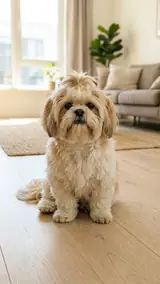
Couple takes two photos of adults and Pets takes two pet photos: photo 1 is the passenger and photo 2 is the driver. Just Me takes one photo of an adult. Show one adult or one pet per photo, chest-up or more, facing the camera in good light. The same pet twice is fine. Photos of a celebrity, of a young person or of a person who did not agree are not allowed.

Use JPG, PNG, WebP, HEIC, up to 30 MB. Photos are resized before upload. You can swap the picture before you start. You must be 18 or older. Confirm photo rights, adult age and consent, and pet ownership. We delete uploads after 7 days and never use them to train models.
You get

MP4, 720p, 9:16, 10 s. Model-generated sound.

You get a 10-second MP4, 720p, 9:16, with a model-generated soundtrack. A fixed camera faces the two front seats. The passenger sips an iced drink, looks over, passes the cup or sets it down, then adds a neck pillow, a pink blanket and sunglasses and leans back. The driver keeps driving and glances over at the end. Black bars above and below the car leave space for your caption.

This effect uses 30 credits for one video. Pack pricing starts from $1.42 per video. Pack credits never expire. Compare packs before buying more credits.

Photo tips for a better Passenger Princess video

A good input makes the subject easier to read. Open the photo at its original size and check the important details before uploading. A bright, sharp photo is more useful than a heavily edited one. Match the crop to the effect: a face-focused scene and a routine with full-body steps need different framing.

  • Use one adult or one pet per photo, with the face turned to the camera.
  • Chest-up or wider works best, so hair and clothes carry into the car.
  • Keep the order: the passenger first, the driver second.
  • Use even daylight and a sharp photo. Avoid heavy filters.
  • For pets, pick a photo that shows the face and the front paws.

What can go wrong with a Passenger Princess AI video

The photos are in the wrong order

Photo 1 always takes the passenger seat and photo 2 always drives. If you want the roles the other way round, swap the two photos before you pay. The tool labels both boxes.

One photo shows several faces

Each slot needs one adult or one pet. With a group photo the model may pick the wrong face or blend features. Crop the picture to one subject and upload it again.

Small props can vary

The cup, the straw, the pillow and the blanket are generated, so their colour and timing can differ from our examples. In one sample the blanket sits partly behind the arm of the person driving. In our cat sample the cat laps at the drink and paws the cup.

A generation that fails returns its credits automatically. Not happy with a delivered video? It includes 1 remake within 7 days, or write to support@effectfarm.com.

Passenger Princess AI video ideas

Use these as starting points for your photo and for the finished clip. They are ways to use the effect, not extra controls. The template sets the movement.

Tag your driver on your anniversary

Pick Couple, add your photo first and your partner second, and post the clip with the caption about going off duty. It is a short, silly thank-you for every ride. Both of you must be adults who agreed to be in the video.

Hotel Lobby AI

Thank the friend who always drives

Every friend group has one person who ends up behind the wheel. Put yourself in the passenger seat and your friend in the other one, then send the result to the group chat before the next road trip.

AI Car Effect

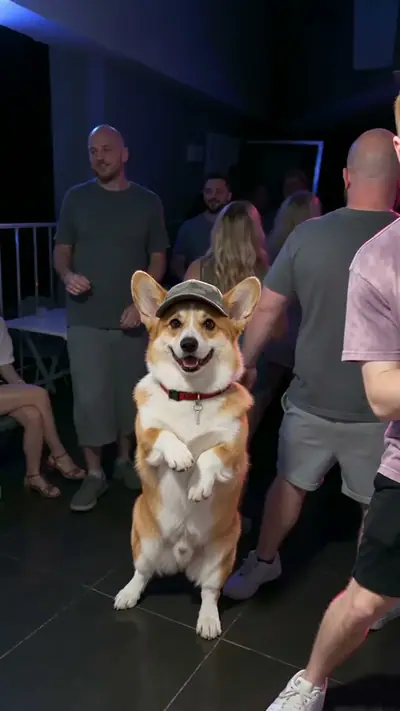
Cat in the passenger seat, dog at the wheel

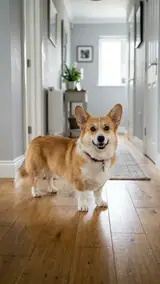
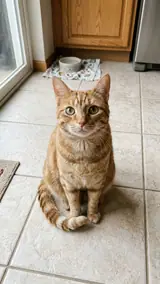
Pick Pets and add your cat first and your dog second. In our sample an orange cat laps at the iced drink and a corgi keeps both paws on the steering wheel. Use sharp photos that show each animal from the front.

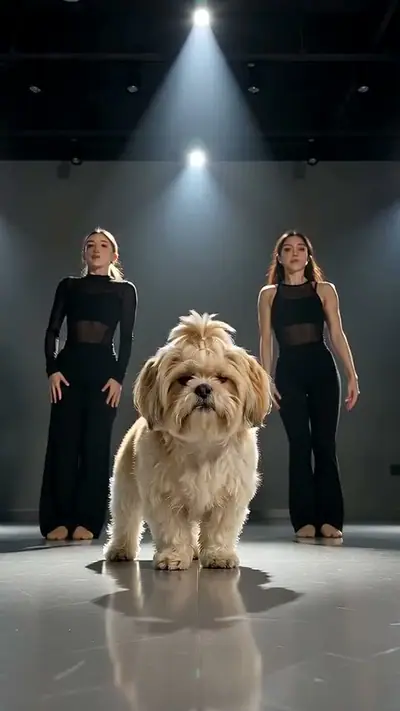
AI Dog Dance

Clone your pet as both roles

Upload the same pet photo in both slots and your pet rides with its own twin. In our sample one French bulldog wears a pink tiara while an identical one drives. Two different photos of the same pet also work.

Put A Ring On It AI

Make my video · $9.99

Passenger Princess AI FAQ

Is it free?
You can watch the samples and see your price before you pay, with no sign-up. Each video you make is paid: one video costs $9.99. Pack credits never expire.
Do I need to sign up?
No. Pay as a guest with card or PayPal. Upload without an account and see the price before generation. Your payment provider collects your email. Sign-in is optional. Keep your private order and wallet links to return to your videos and credits.
What if my video fails? Can I get a refund?
A failed video returns its credits to your wallet automatically. This is a credit return, not an automatic cash refund. For unused-credit refunds, email support@effectfarm.com from your checkout email within 14 days of purchase.
How do I follow the Passenger Princess tutorial?
Pick Couple, Just Me or Pets. Upload the passenger photo first and the driver photo second, then pay for one video. The three steps below the tool show each part. Your clip is usually ready in 3–6 minutes.
What is the Passenger Princess AI trend?
A late-October 2026 trend: a fixed car camera shows the passenger sipping a drink, putting on a neck pillow and sunglasses and going off duty while the driver keeps driving.
What does passenger princess mean?
Someone who rides in the passenger seat and never drives, usually a partner who handles snacks, music and vibes.
Why is Passenger Princess on TikTok?
An AI capybara couple clip from 27 October 2026 spread fast there, and couples and pet owners began to post their own versions and tag their driver.
Where can I see the original Passenger Princess video?
We do not show the original clip here. Find it through the TikTok tag link in the source section. The examples on this page are our own AI versions with fictional adults and pets.
What happens in the Passenger Princess meme?
About every two seconds there is a new beat: a sip of an iced drink, a look at the driver, a neck pillow, a soft pink blanket, then sunglasses and a lean back. The driver keeps both hands on the wheel and glances over with a dry smile.
Which photo is the princess and which is the driver?
Photo 1 is always the passenger. Photo 2 is always the driver. Swap the order to swap roles.
Can I make it with my dog or cat?
Yes. Pick Pets and upload two pet photos, or the same pet twice for a clone. Use only your own pets.
Can I make it on my own?
Yes. Pick Just Me and upload one photo. You are in the passenger seat and the driver shows only as a hand on the wheel.
Which sound should I use on TikTok?
Your video comes with a model-generated soundtrack; we ask the model for light, playful music. Many posts use the original clip's sound, which you can pick inside TikTok when you post.

More effects

Compare the sample, photo requirements and output before choosing another effect.

Put your photo in motion

Add your photos, pick Couple, Just Me or Pets, and let your passenger go off duty while the driver keeps driving.

Make my video · $9.99

No subscription needed. Pack credits never expire.